 Physics 219 UCSC
| Differences between revisions 1 and 25 (spanning 24 versions) | Back to page |
|
Size: 125
Comment:
|
Size: 4371
Comment:
|
| Deletions are marked like this. | Additions are marked like this. |
| Line 1: | Line 1: |
| <<TableOfContents>> <<fl(I)>>t seems that a wiki site is an ideal place for collaboration. So, this is <<h(<span style="font-variant: small-caps; font-weight: bold;">Your</span>)>> site. == Edit what or how? == Basically practically all pages inside Momo wiki are editable by all Momo group members. To edit, create a link in a document first and then click on that link. You will then be asked to create a page. To edit an exising page, click on the "Edit (TEXT)" link that comes up when you move your mouse over a pencil icon above. If you like, you can use the "Edit (GUI)" link. I rarely do, as it is a bit slower, but it might be easier to a first time user. Of course, you do not have to edit a page after clicking the "Edit" link. Often, the sole purpose of clicking it to find out how certain things are done, and copy and paste the "source code" to another page. You can write plain text, '''bold faced text''', ''italic text'', --(striked-out text)--, __underlined text__, ,,sub,,script, ^super^script, latex math expressions (e.g., $\Im m\, \Sigma(\vec{k},\omega)$), etc. !MathJax supports latex math expressions. Displayed equation is possible, too. Read more about !MathJax, if you like, following a link below. This is an indented paragraph can be written like this. And a more indented paragraph. Here comes a bullet list. * The "Edit (TEXT)" menu link is useful. * <<lia(Famous_Fermi_Surface.png,scale=0.3,align=right,style="margin-top: 3px;")>>Another useful menu link is "Attachments" menu, either by mouse-over or at the bottom of each page (the menu at the bottom is identical with the mouse-over menu except the last one). The image on the right is an example of an attachment link (~-in the source code, "lia = link image attachment" is a local macro name. cf. la = link attachment-~). * Try other links as well. ~-Caveat: Except the "Edit" and "Attachments" links I haven't tried much, and so I don't exactly know what they do!-~ {{{#!wiki note One frequently used feature is the double click feature in a page. (Try it now! You can always click the "Cancel" button in an edit page. This will trigger the "Edit (text)" action. This also works in an editing window as well! Click "Preview" to preview contents. Double click in or near an area you like to edit, and you will be scrolled upwards to the editor window. The editor window will be correctly positioned, unless the page uses certain parsers (bibtex, html, or mathjax) ''extensively.'' }}} Lastly, on a calendar, you can follow a date link. If the date page does not exist, then you will be asked to create a page. Any headings at the level equal to or higher than the first heading encountered in a date page will appear as a tool tip mouse-over popup in a calendar. == Customization == You will notice that at the top portion of this wiki page, there is a navigation menu startig with "Home" and ending with "Help". You can add any personal links by using "Settings → Preferences". They will appear before "Help." == Last words == Feel free to create/edit/rename/delete any pages. The backup system is reasonably extensive, and so even if you make a mistake, it will probably not a big deal. == Links for more extensive information == Some general information can be obtained by following links below. Please use them in combination of a "copy and paste from an existing page" approach. Note that the first link will get you out of the Momo wiki. To come back to Momo, use the "Back" button of your browser. |
|
| Line 5: | Line 47: |
| [[HelpContents]] |
|
| Line 7: | Line 51: |
| [[HelpContents]] | [[RecentChanges]] |
| Line 9: | Line 53: |
| [[RecentChanges]] | == Security and access == All wiki sites in griffin, including this one, run on SSL. So, no plain text (e.g. for your password) will be transmitted. Once you login, your login is valid for a certain period of time. For instance, if you login in the morning, then your login may still be valid when you re-launch your browser in the afternoon. All Momo wiki pages are private, accessible to group members only. However, if you have some information that you like the world to be able to access, please let me know. It is possible to make a certain portion of wiki world-readable (and more if so desired and if reasonable to do so). |
Contents
It seems that a wiki site is an ideal place for collaboration. So, this is Your site.
Edit what or how?
Basically practically all pages inside Momo wiki are editable by all Momo group members. To edit, create a link in a document first and then click on that link. You will then be asked to create a page.
To edit an exising page, click on the "Edit (TEXT)" link that comes up when you move your mouse over a pencil icon above. If you like, you can use the "Edit (GUI)" link. I rarely do, as it is a bit slower, but it might be easier to a first time user. Of course, you do not have to edit a page after clicking the "Edit" link. Often, the sole purpose of clicking it to find out how certain things are done, and copy and paste the "source code" to another page.
You can write plain text, bold faced text, italic text, striked-out text, underlined text, subscript, superscript, latex math expressions (e.g., $\Im m\, \Sigma(\vec{k},\omega)$), etc. MathJax supports latex math expressions. Displayed equation is possible, too. Read more about MathJax, if you like, following a link below.
- This is an indented paragraph can be written like this.
- And a more indented paragraph.
Here comes a bullet list.
- The "Edit (TEXT)" menu link is useful.
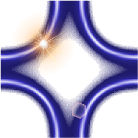 Another useful menu link is "Attachments" menu, either by mouse-over or at the bottom of each page (the menu at the bottom is identical with the mouse-over menu except the last one). The image on the right is an example of an attachment link (in the source code, "lia = link image attachment" is a local macro name. cf. la = link attachment).
 Try other links as well. Caveat: Except the "Edit" and "Attachments" links I haven't tried much, and so I don't exactly know what they do!

One frequently used feature is the double click feature in a page. (Try it now! You can always click the "Cancel" button in an edit page. This will trigger the "Edit (text)" action. This also works in an editing window as well! Click "Preview" to preview contents. Double click in or near an area you like to edit, and you will be scrolled upwards to the editor window. The editor window will be correctly positioned, unless the page uses certain parsers (bibtex, html, or mathjax) extensively.
Lastly, on a calendar, you can follow a date link. If the date page does not exist, then you will be asked to create a page. Any headings at the level equal to or higher than the first heading encountered in a date page will appear as a tool tip mouse-over popup in a calendar.
Customization
You will notice that at the top portion of this wiki page, there is a navigation menu startig with "Home" and ending with "Help". You can add any personal links by using "Settings → Preferences". They will appear before "Help."
Last words
Feel free to create/edit/rename/delete any pages. The backup system is reasonably extensive, and so even if you make a mistake, it will probably not a big deal.
Links for more extensive information
Some general information can be obtained by following links below. Please use them in combination of a "copy and paste from an existing page" approach.
Note that the first link will get you out of the Momo wiki. To come back to Momo, use the "Back" button of your browser.
Security and access
All wiki sites in griffin, including this one, run on SSL. So, no plain text (e.g. for your password) will be transmitted. Once you login, your login is valid for a certain period of time. For instance, if you login in the morning, then your login may still be valid when you re-launch your browser in the afternoon.
All Momo wiki pages are private, accessible to group members only. However, if you have some information that you like the world to be able to access, please let me know. It is possible to make a certain portion of wiki world-readable (and more if so desired and if reasonable to do so).